Workflow & UX Design
Designed and refined workflows across job creation, job status, scheduling, calendars, checklists, and reports.
Case study · Product Design
Helping property managers coordinate the work—and service providers complete it with clarity.

The starting point
Getting a vacation rental ready for the next guest takes clear coordination. At Properly, I helped connect property managers planning the work with service providers completing it, designing clearer workflows for scheduling, job execution and quality across web and mobile.
My responsibilities
Designed and refined workflows across job creation, job status, scheduling, calendars, checklists, and reports.
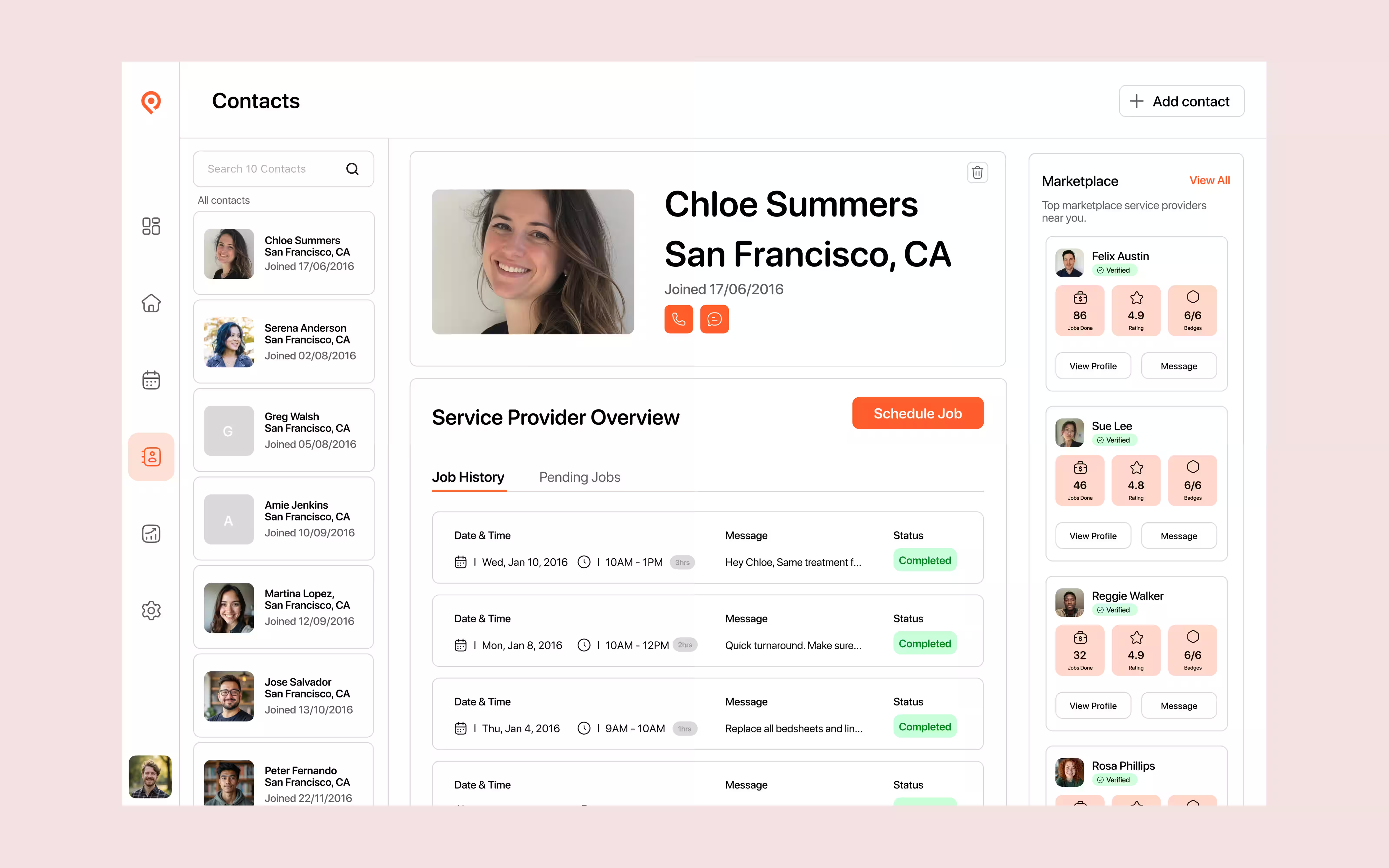
Designed core web experiences for property managers, translating operational information into clear interfaces that helped users understand jobs, schedules, properties, and activity.
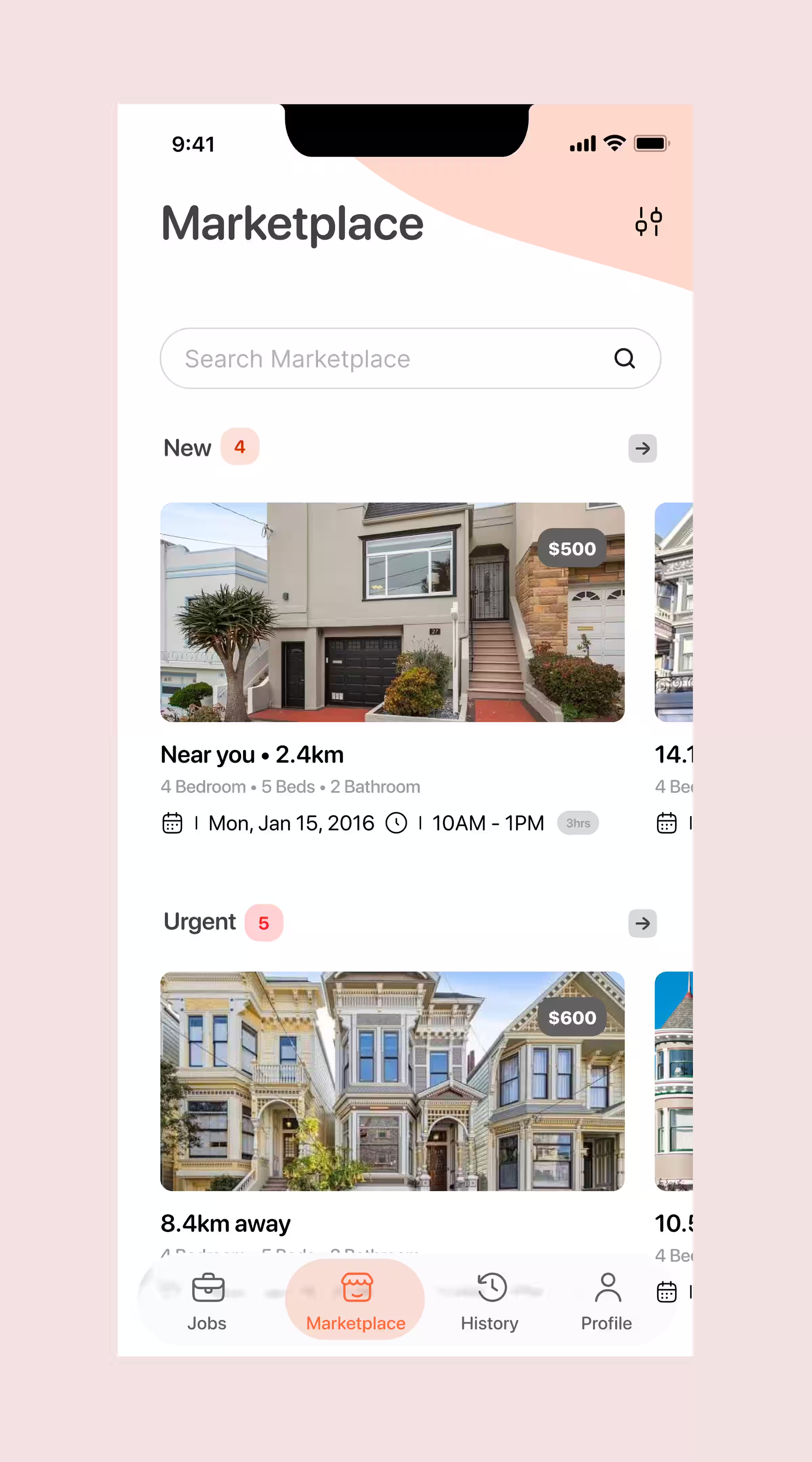
Helped redesign the mobile experience for service providers, including job cards, checklists, job information, badges, verification, and workflows used while completing work in the field.
Contributed to marketplace experiences connecting property managers with service providers, while developing reusable patterns and components that maintained consistency across the wider product.
Context
A property manager is keeping track of people, bookings and standards across many properties. A service provider needs to know where to go and what needs doing. Properly connected those two views of the same job.
Problem
The challenge wasn’t simply managing properties. It was making the right information visible while people, schedules and exceptions kept moving.
What’s happening right now? Jobs can be pending, underway or completed with a problem that still needs attention.
How do I get work assigned? Every request brings together a property, provider, date and checklist.
Was the job completed correctly? Managers often need to review work without being there.
What happens as the operation grows? More properties mean more jobs, reports and responsibilities.
Complete · Problem reported
Property → Provider → Date
Review → Feedback
Filter → Understand
Users
Designing for both meant understanding when someone needed an overview—and when they simply needed to get on with the job.
“I need to know what’s happening across my properties.” Visibility, control, consistency and trust.
“Tell me what needs doing and let me get on with the job.” Clarity, efficiency, feedback and opportunity.
UX challenges
I kept returning to four needs: knowing what is happening, moving work forward, building confidence and making room for growth.
Make status and exceptions clear at a glance.
Reduce effort across creating, assigning and completing work.
Make quality and provider experience easier to understand.
Support more properties, jobs and people without losing clarity.
Process
Instead of treating each feature as an isolated screen, I looked at where it belonged in the job lifecycle—and what information needed to carry into the next step.
Calendar
Send Job
Service provider
Job card + checklist
Feedback + problems
Reports
Teams + marketplace
Selected product work
The following features show how I approached everyday operational problems. The UI designs are refreshed interpretations of my 2016–2019 work and do not reflect how the current product looks today.
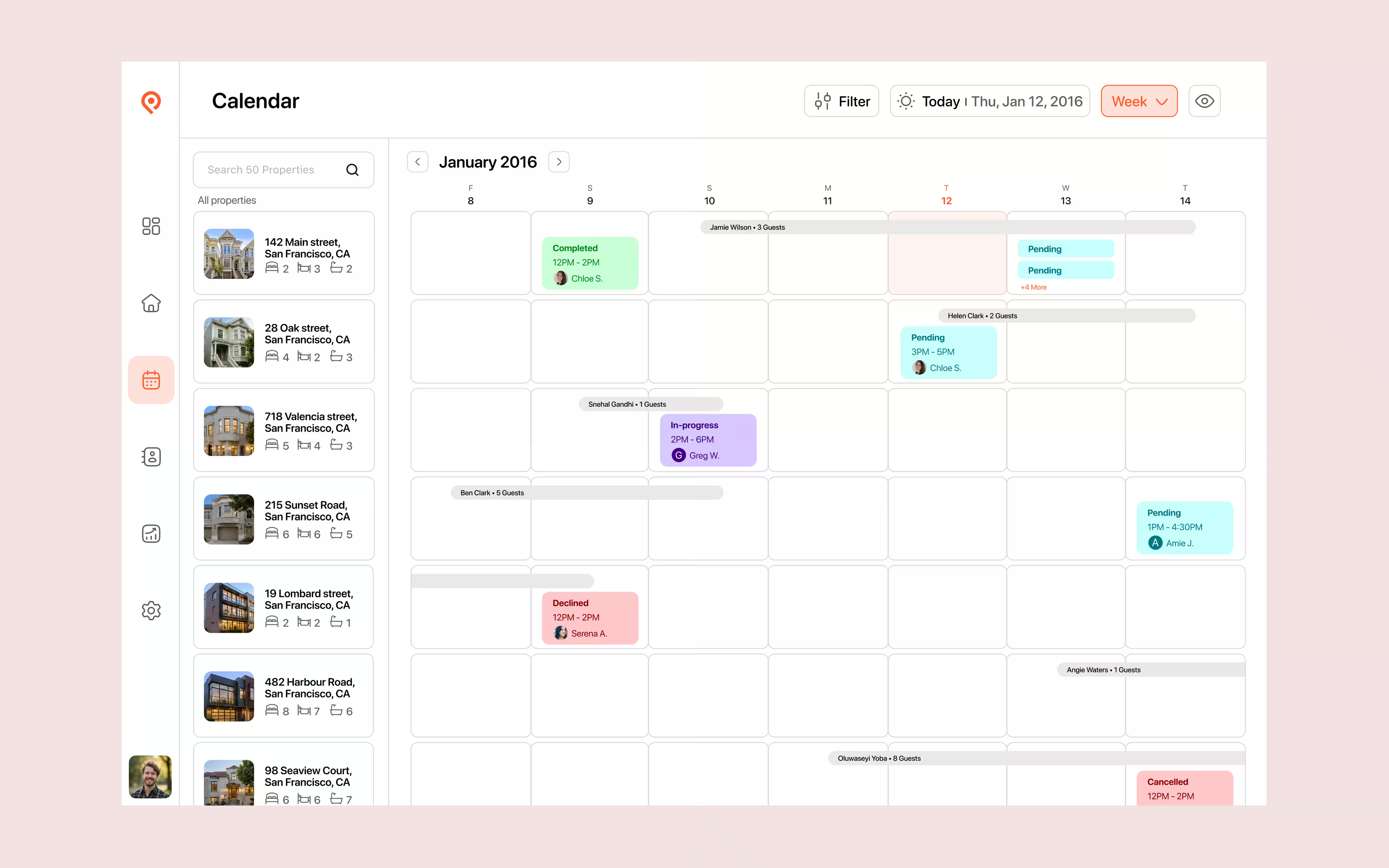
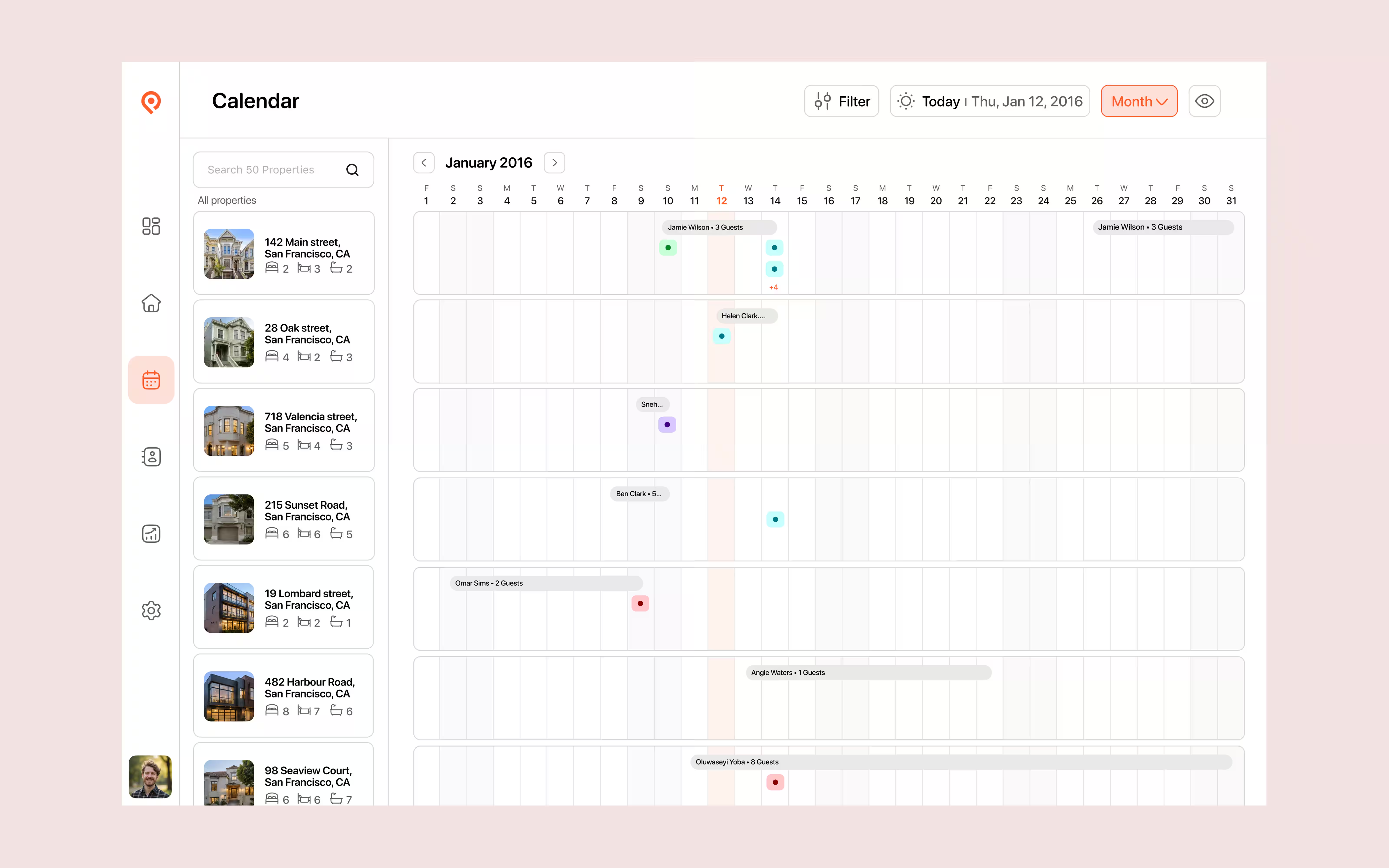
Calendar & job status
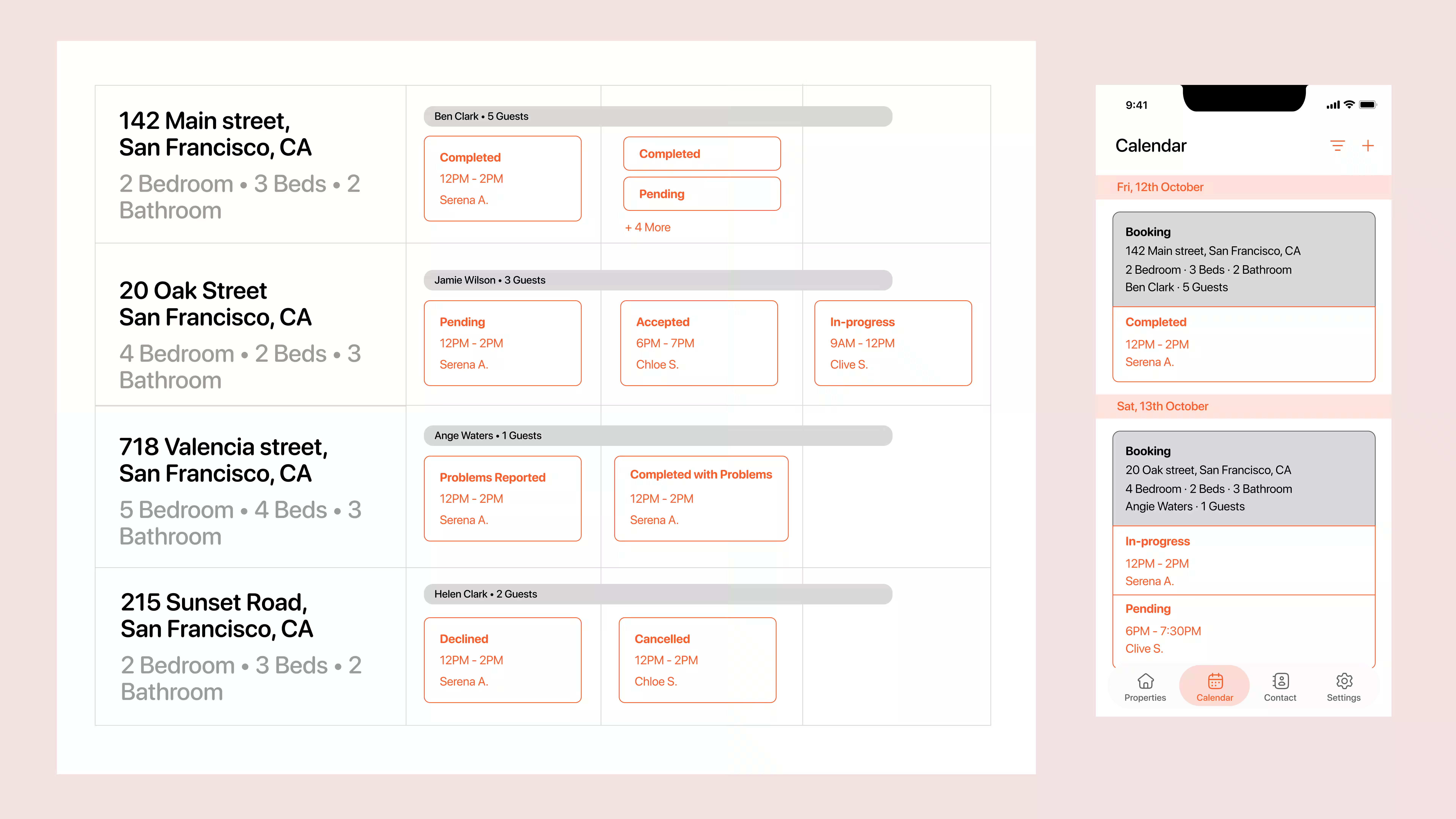
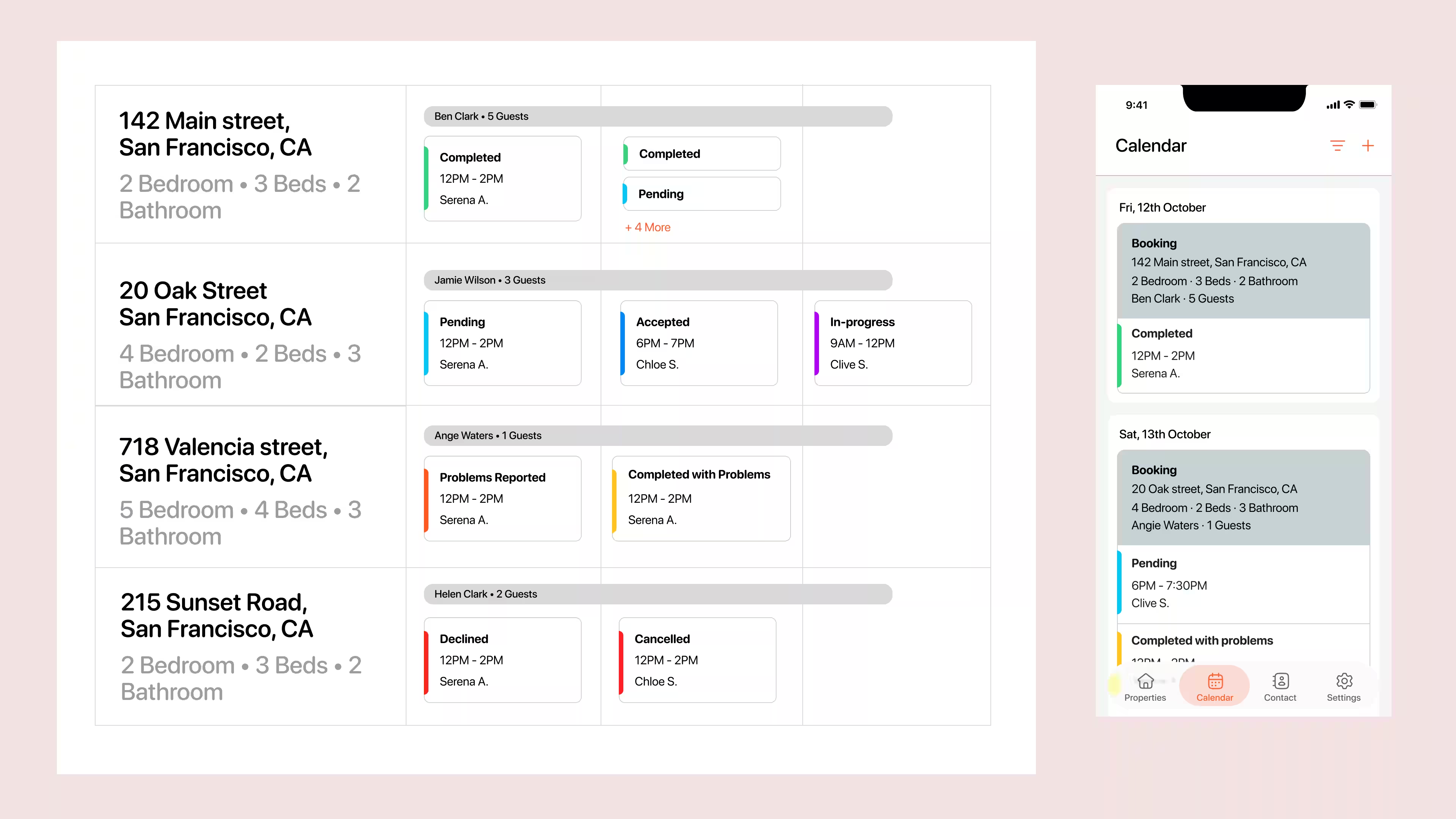
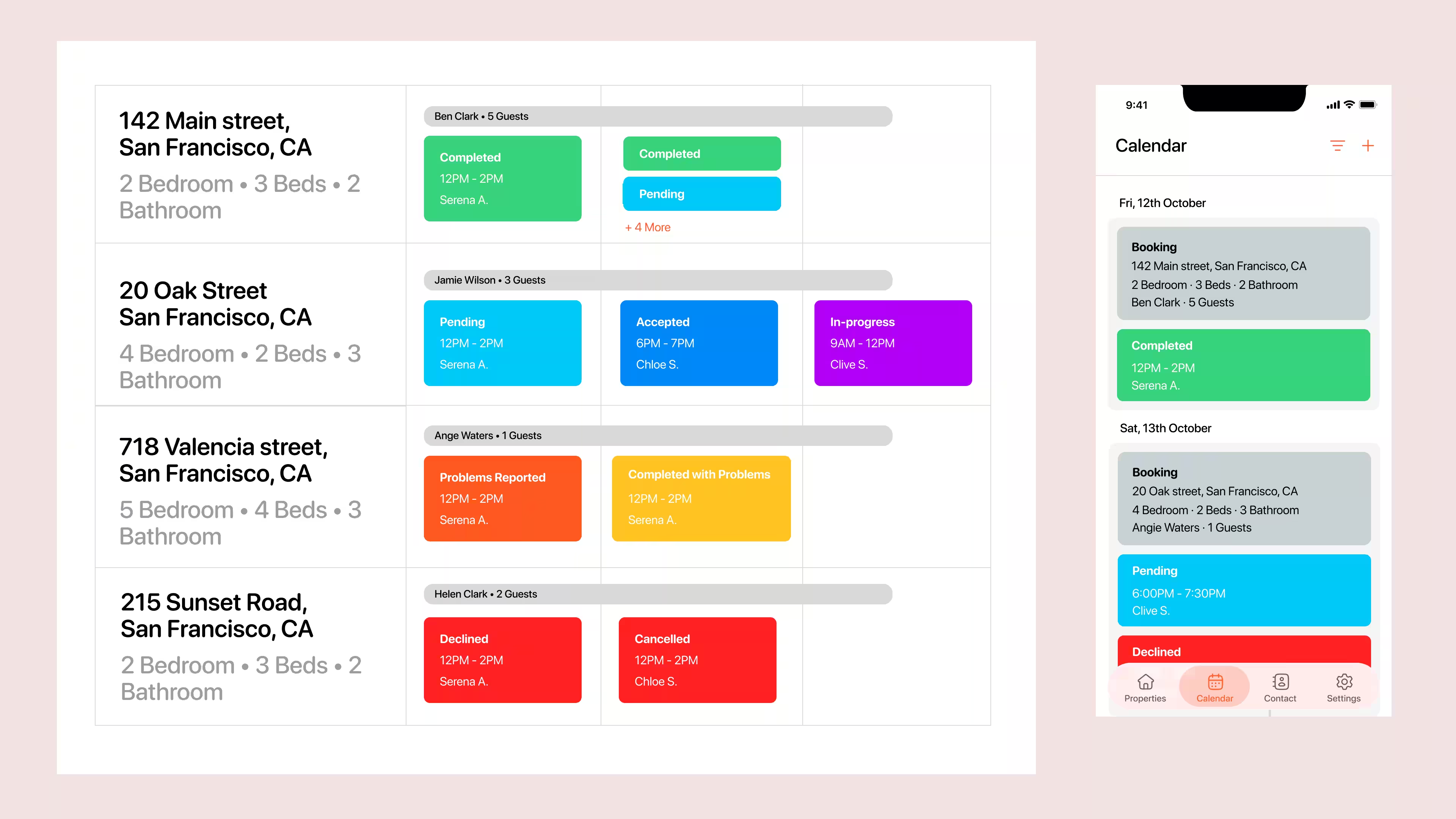
My first challenge at Properly was a status system that worked across web and mobile. A completed job could still have a problem, so progress and exceptions needed to be communicated separately.
Softer tones and compact icons make job statuses clearer across desktop and mobile.
Waiting for a response
Provider confirmed
Work underway
Work finished
Manager attention needed
Reassign the job
Work is finished, but a property issue needs the manager’s attention—such as low supplies or a stain left by previous guests.
The provider accepted the job but cancelled before starting, leaving the manager to arrange a replacement.
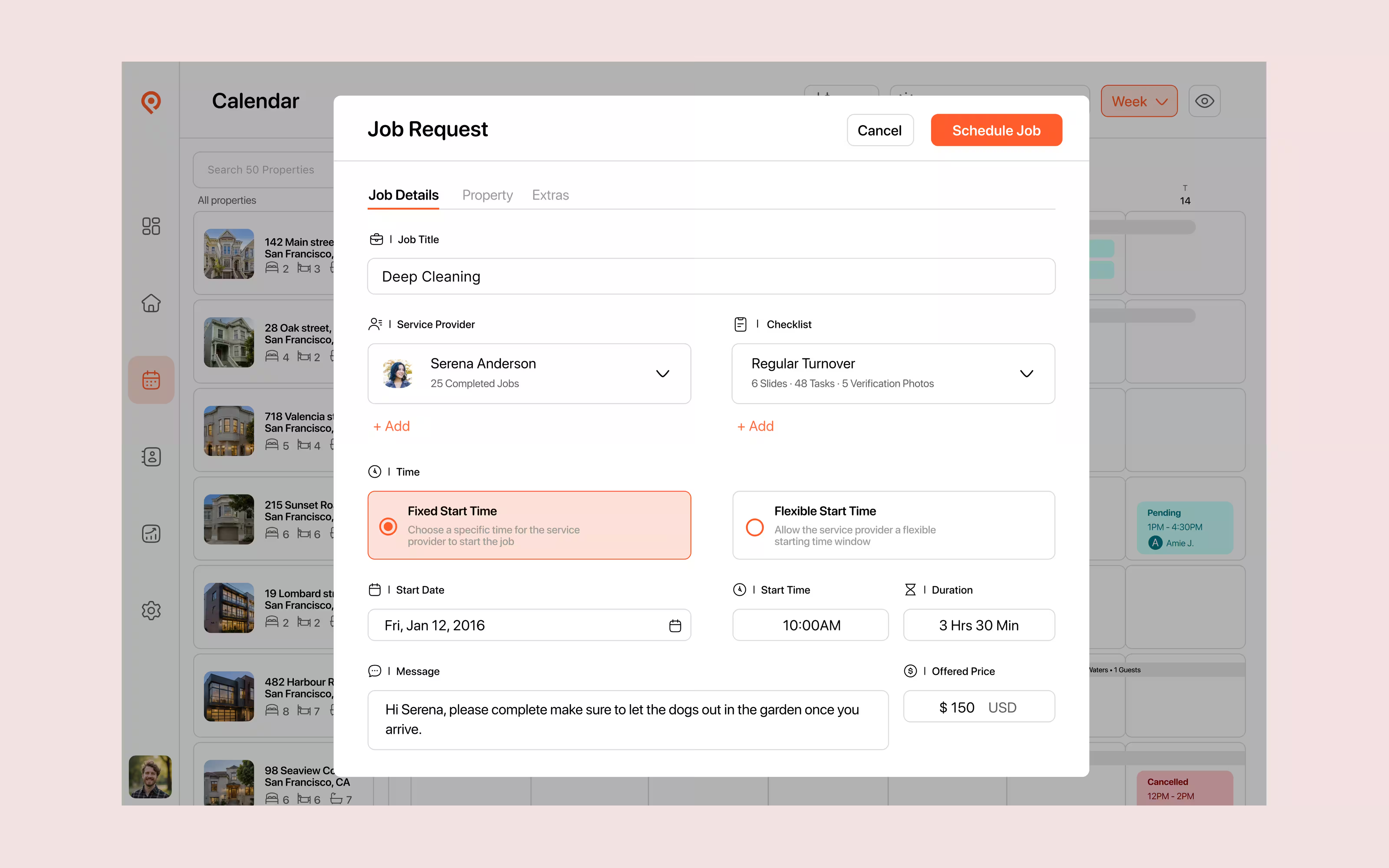
Send Job
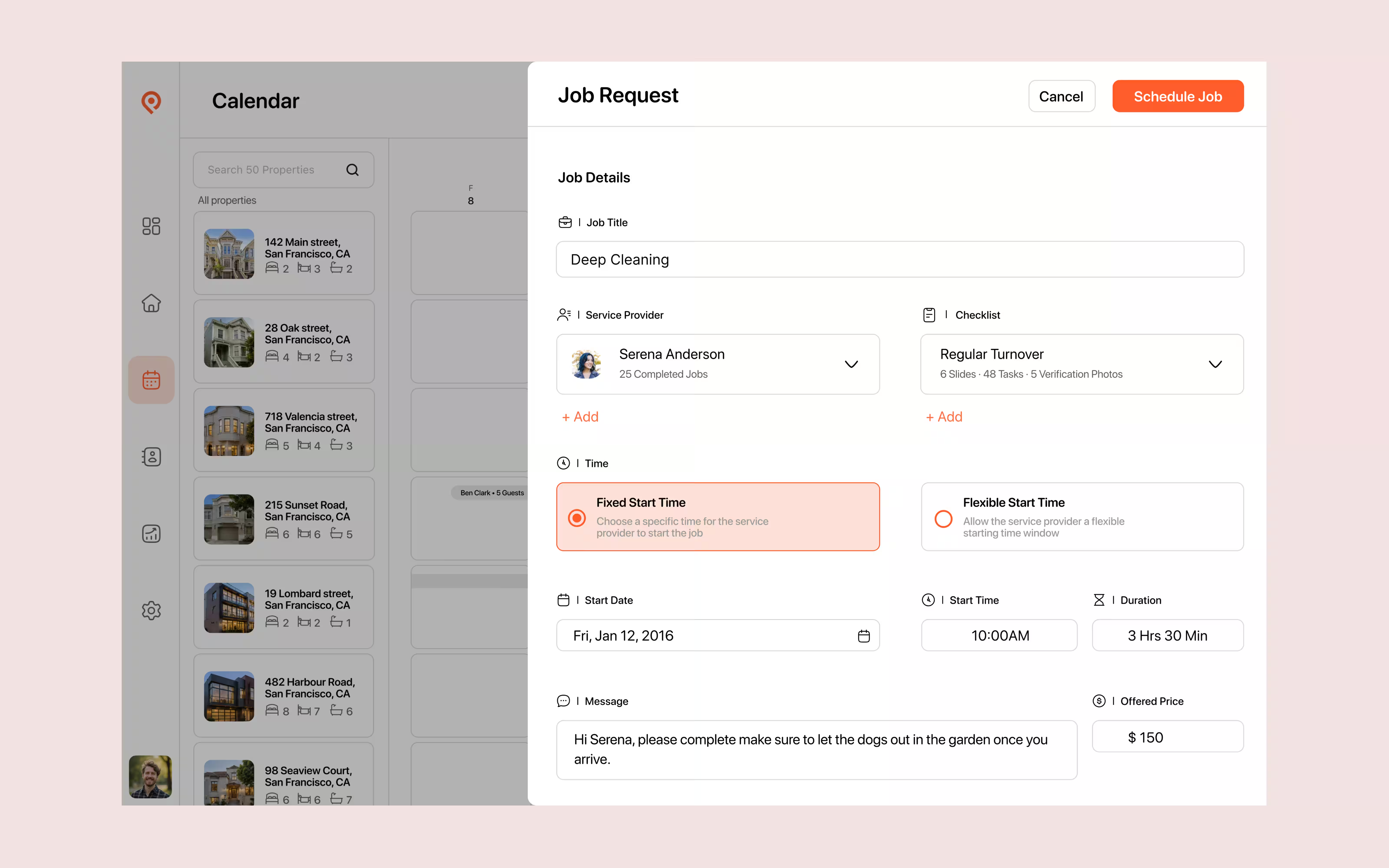
A request could start from a calendar, property or provider. I explored a full page, a pop-up and a side panel, then chose the pop-up: a focused space to create the job while keeping the original page visible behind it.
The pop-up keeps job creation focused without taking the manager away from where they started.
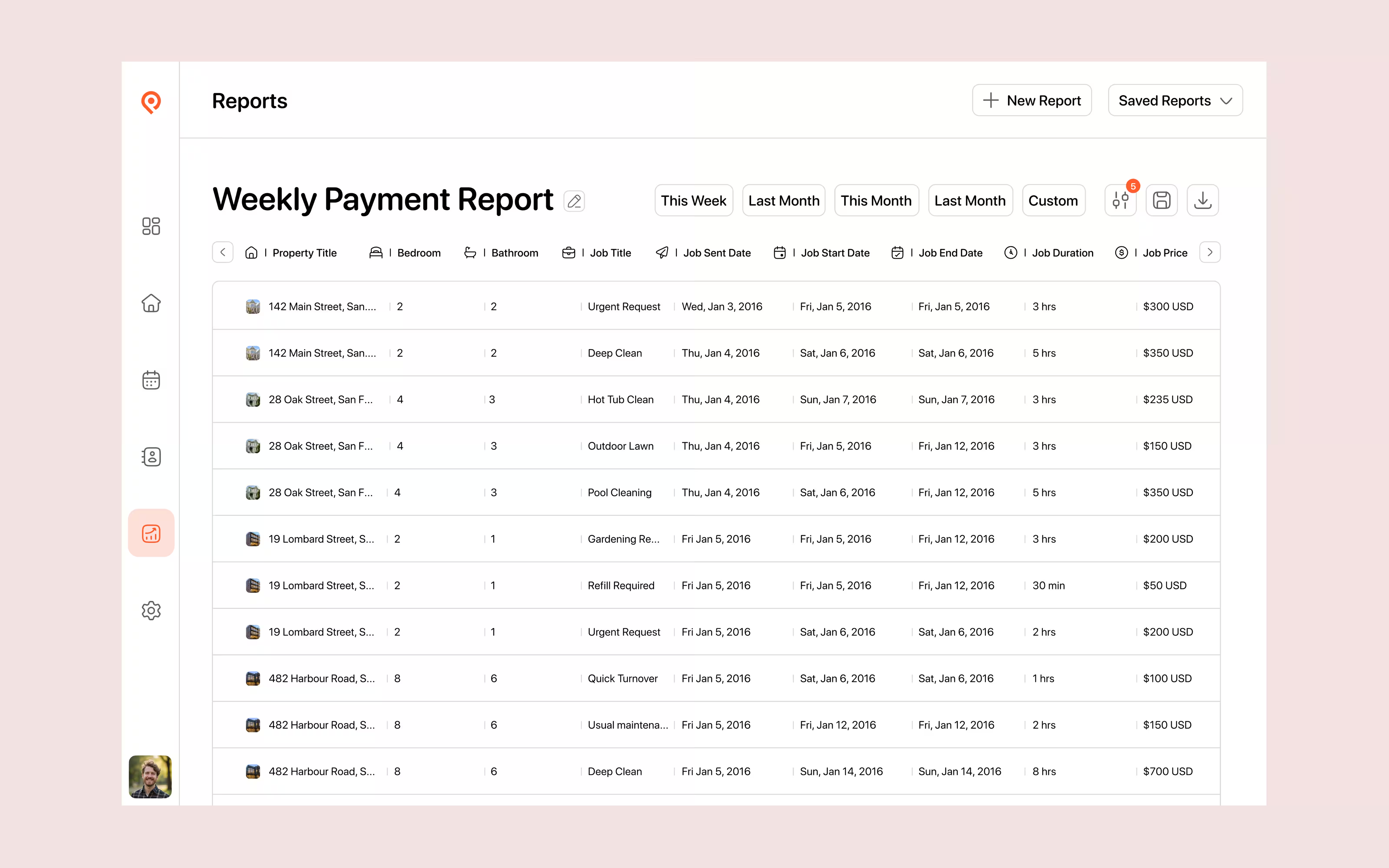
Reports
The first reporting flow helped managers create and export a record. As their needs grew, filtering made it possible to focus on a particular provider, property, status or date range.
Checklist feedback
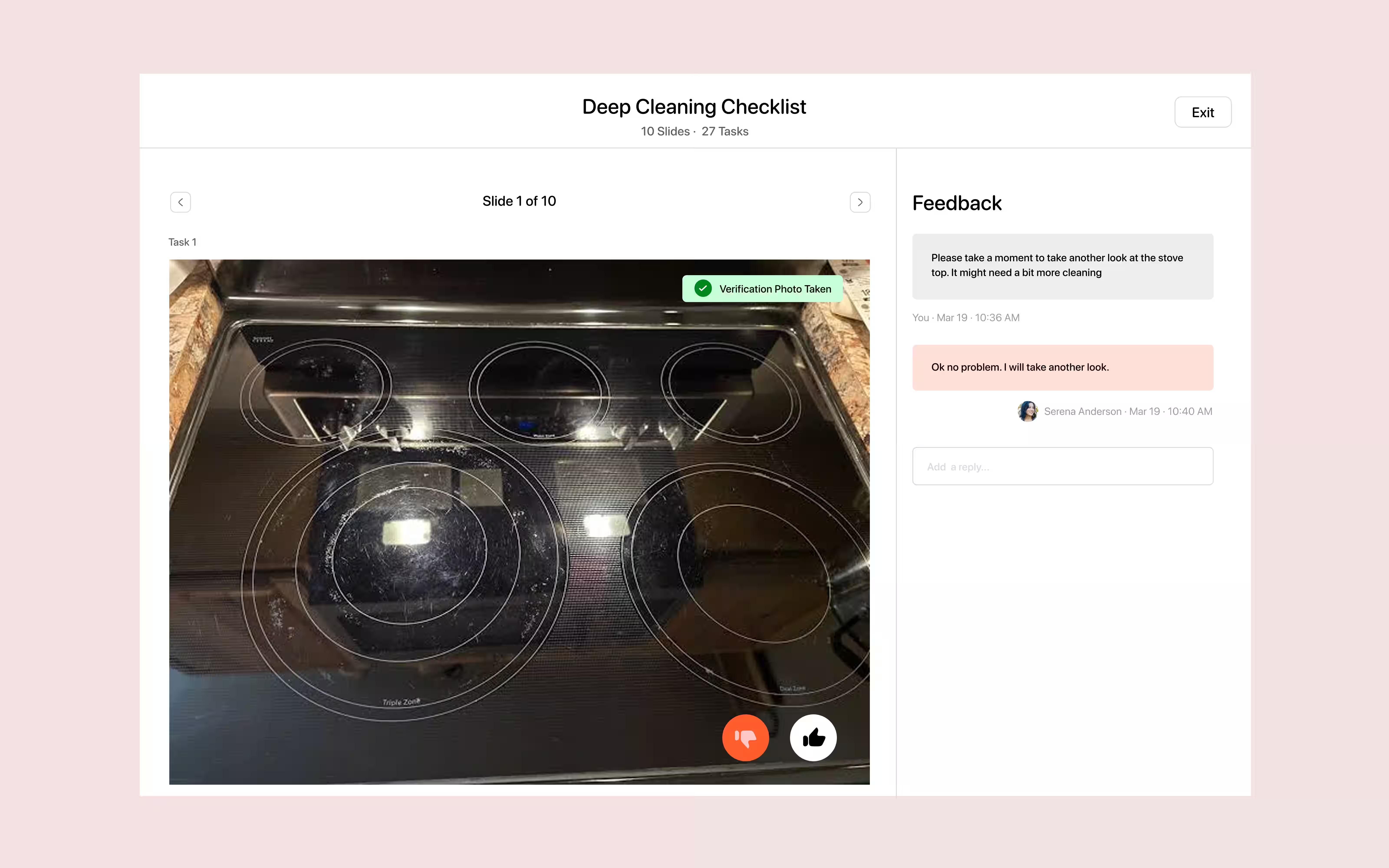
Reviewing the work was the right moment to acknowledge a job well done—or explain what needed attention. Keeping that conversation beside the checklist gave feedback a clear context.
Feedback should happen where the work is being reviewed.
Service provider experience
Providers needed a mobile experience that made the next action clear: understand the request, decide, complete the work and build a reputation.
Understand the request
Make a decision
Follow the checklist
Find more opportunities
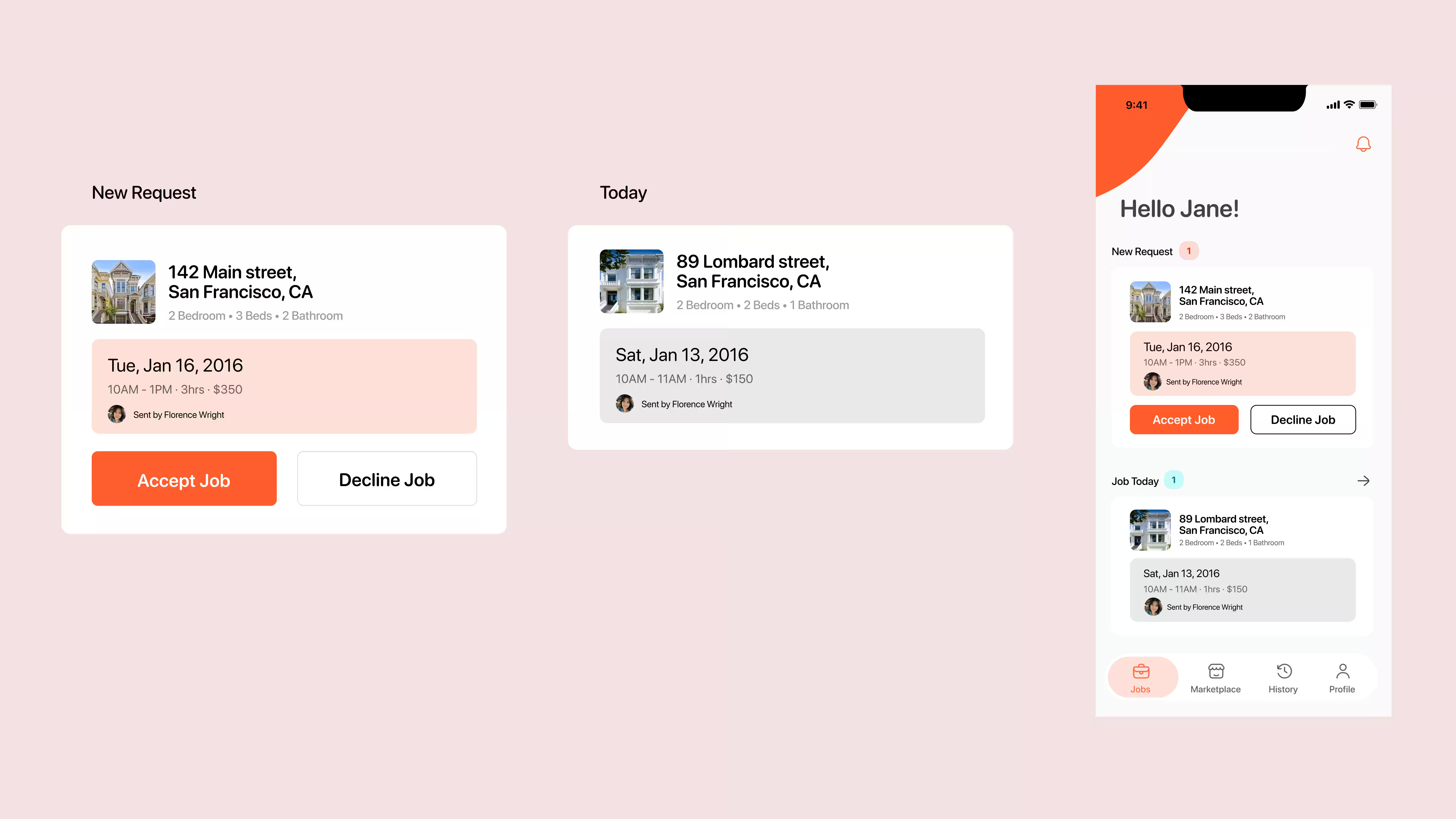
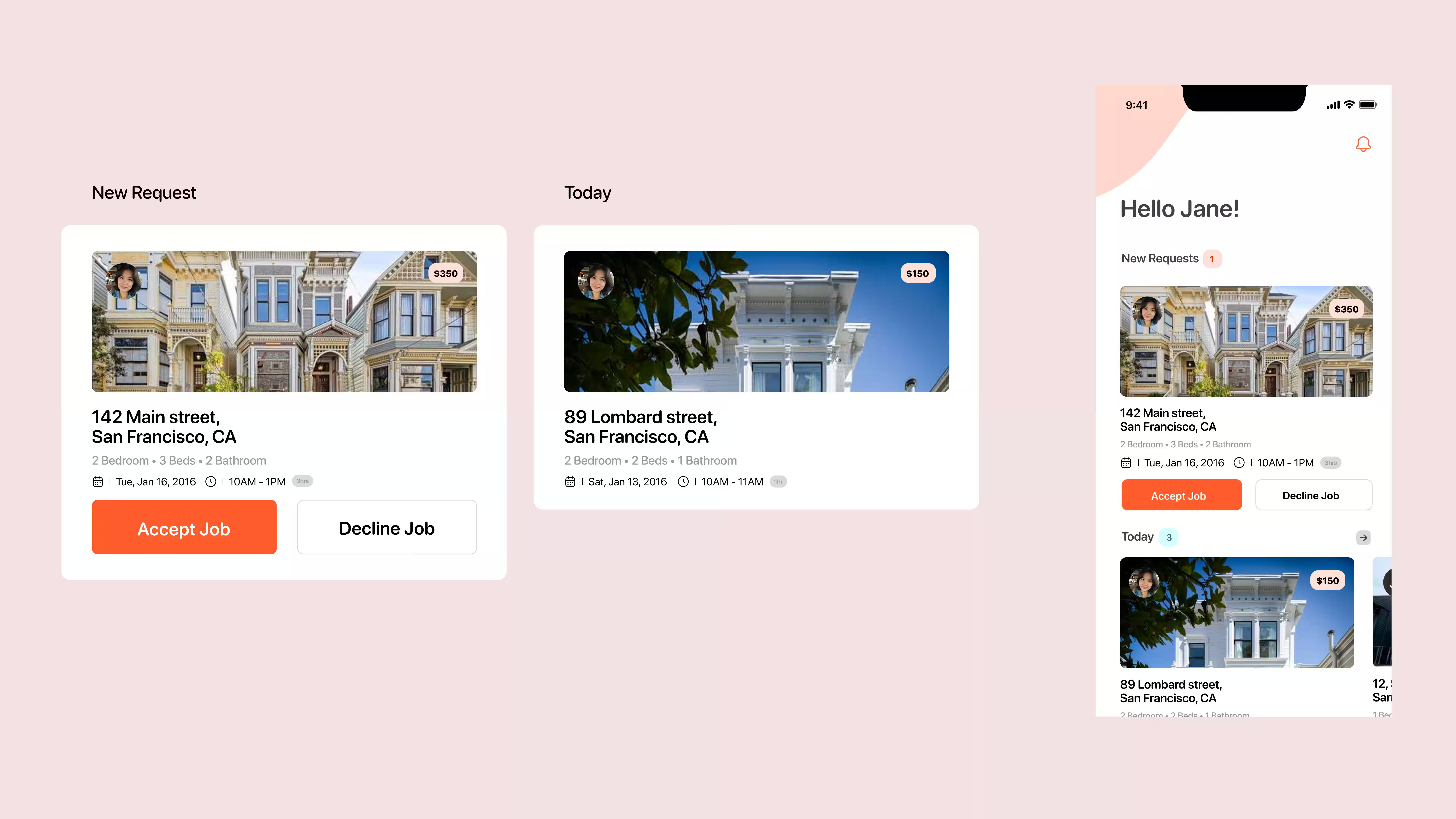
Job card
A provider needs to understand where, when and what before accepting a job. The hierarchy evolved around that decision rather than giving every detail equal weight.
Badges & profile
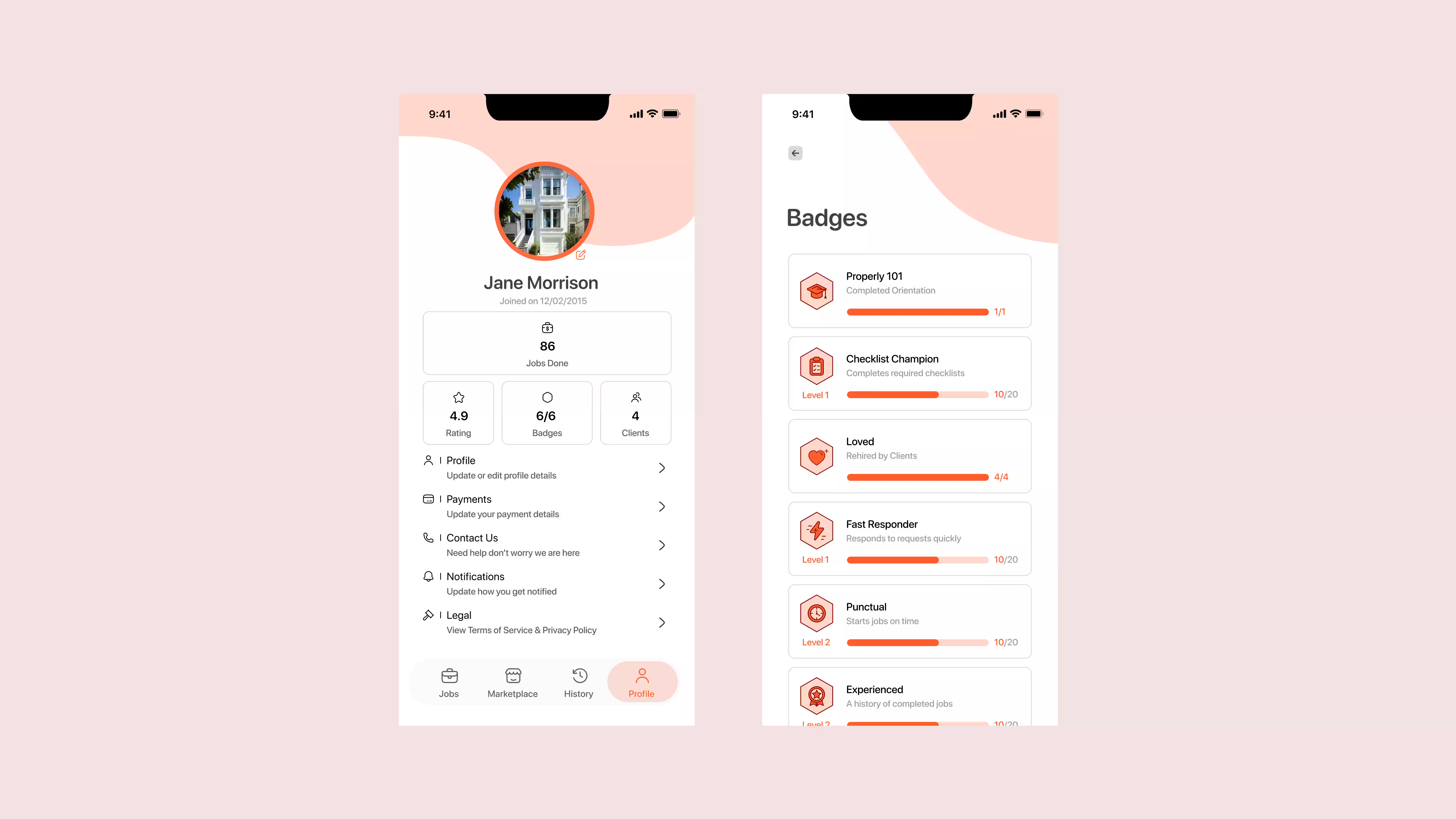
Choosing someone new takes trust. Badges gave a recognisable meaning to a provider’s history, helping managers understand the person behind the profile.
Rehired by clients
Responds to requests quickly
Starts jobs on time
Completes required checklists
A history of completed jobs
Completed orientation
Marketplace
The marketplace connected the two sides: managers could discover providers, while providers could turn their work history into a stronger profile and new opportunities.
Need help → Discover → Compare → View profile → Send job
Complete jobs → Build history → Earn badges → Be discovered → Receive work
Design outcome
These shifts capture the thinking behind the work: make the state of a job visible, keep tasks connected and give each person the information they need.
Five design transformations
Make job status and exceptions visible, so a manager can see what needs attention.
Create and assign work without losing sight of the calendar, property or provider.
Move from a record of jobs to filtered reports that answer operational questions.
Bring feedback and verification alongside the completed checklist.
Connect profiles, history and badges to provider discovery and future work.
What I learned
Working on Properly taught me to look beyond individual screens and think about how states, exceptions and people connect. A job could be complete and still need attention; a manager and a provider could look at that same job and need very different things.
Designing across both sides made one question central to my work: what does this person need to know or do next?